Skip to content
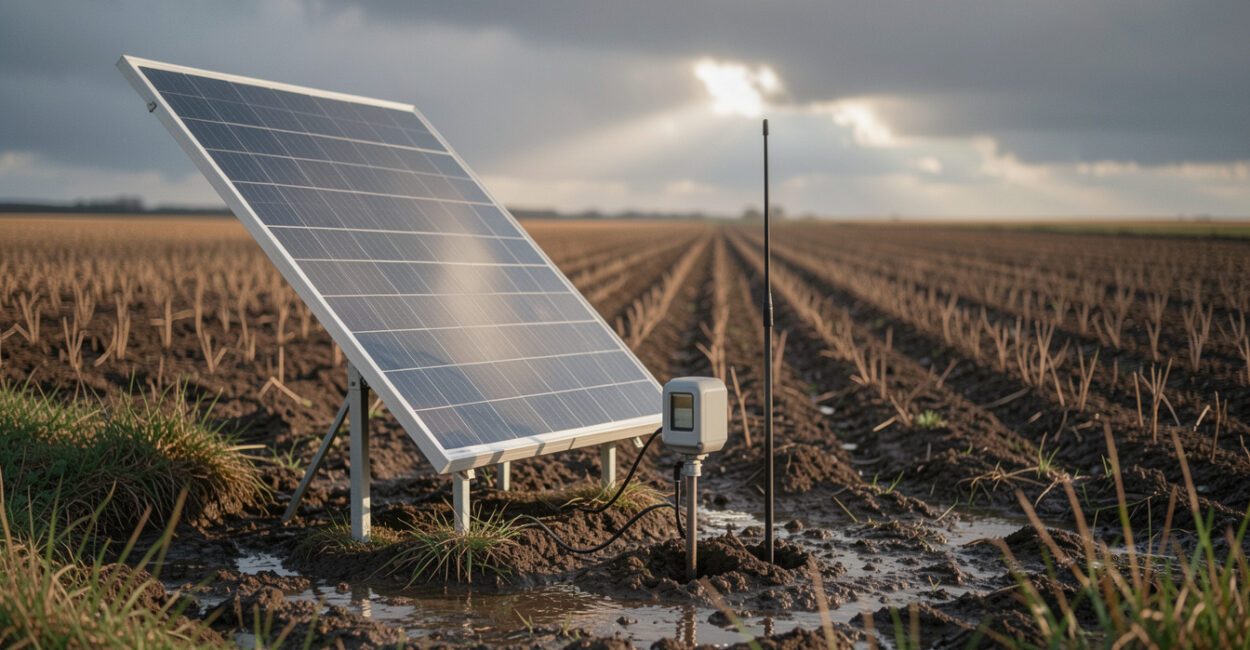
A soil moisture sensor can keep measuring long after a crew has left the field, but its battery cannot outlast a poor power plan. Reliable solar sensor power starts with the device’s actual energy use, then accounts for cloudy days, winter sunlight, and the energy required to send readings. Solar can work well in remote fields when those demands are sized together.
Power and connectivity are separate design problems. A sensor may store readings reliably while unable to transmit them, or have a strong network signal but run out of battery. Planning for both helps make off-grid soil monitoring useful for irrigation decisions rather than a source of missing data.
Before You Choose a Power Setup
- Find the sensor’s current draw, sleep mode consumption, and transmission energy in its technical documentation.
- Decide how often to measure and report data, and whether the device can store readings offline.
- Check the site for shade, winter sun exposure, dust, livestock, and equipment traffic.
- Identify available cellular, LoRaWAN, or satellite coverage at the actual installation point.
1. Match Solar Sensor Power to the Field’s Data Needs
A solar-powered soil moisture sensor can operate reliably in a remote field when its panel and battery cover the sensor’s full energy demand, including communications, during the least sunny part of the year. Estimate consumption from the device’s duty cycle, allow for several low-sun days, and confirm that the panel receives unobstructed light at the installed height.
Start with the measurement schedule. A probe that wakes briefly every 15 minutes may use little energy while sleeping, but frequent radio transmissions can dominate its power budget. A device that measures hourly and uploads a daily summary may need less energy, provided that the slower reporting cadence still supports the irrigation decision.
Check whether the manufacturer’s stated battery life assumes a particular reporting interval, signal strength, temperature, or battery type. Weak cellular coverage can increase transmission attempts, so laboratory estimates may understate field consumption. For broader context on turning measurements into irrigation decisions, see this guide to precision irrigation software and sensor data.
2. Calculate the Battery Capacity the Sensor Needs
Estimate daily energy use in watt-hours (Wh): add the energy used by sensing, processing, and each transmission over 24 hours. If a device draws an average of 0.02 watts, its daily use is 0.48 Wh. Actual values vary sharply with radio type and operating schedule, so use measured or manufacturer-provided figures when available.
To estimate battery capacity, divide the energy needed for the chosen autonomy period by the battery’s nominal voltage, then adjust for usable capacity and conversion losses. For example, 0.48 Wh per day for five days is 2.4 Wh. At 3.7 volts, that is about 0.65 amp-hours before derating; the selected battery must provide more than this nominal minimum because cold, aging, and discharge limits reduce usable energy.
Use the battery chemistry and charge controller specified for the equipment. Lithium iron phosphate (LiFePO4) batteries tolerate many charge cycles, but charging limits in cold conditions matter; lead-acid batteries need different charge management and generally should not be deeply discharged. Battery life also depends on enclosure temperature and the number of charge-discharge cycles, not just the label capacity.
Battery autonomy is the buffer that carries a field sensor through the days when its panel cannot replenish what the device uses.

3. Size and Position the Solar Panel
Choose a panel by comparing its expected daily harvest in the weakest solar season with the system’s daily consumption. A simple first estimate is: panel wattage × equivalent peak-sun hours × system efficiency. If a 5-watt panel receives two equivalent sun hours and the system retains 60% of that energy after losses, it yields roughly 6 Wh per day. That is an estimate, not a guarantee; shading, panel angle, dirt, and charge-controller behavior can lower output.
Complete guide: Soil Sensors for Small Farms: Cut Irrigation Costs
Use location-specific solar data rather than annual averages. The National Renewable Energy Laboratory’s PVWatts calculator can help assess solar production by location and month, though its estimates are designed for photovoltaic systems and are not a substitute for testing a small sensor installation.
Mount the panel where it will avoid crop canopy, fence shadows, and seasonal obstructions. A panel that clears short vegetation in spring may be shaded by a mature crop in summer. Secure cables against abrasion and protect connectors from water ingress; a loose connector can cause intermittent charging that looks like a failing battery.
For irrigation projects, sensor placement and data use matter alongside power. This overview of smart irrigation systems in farming provides related context on connecting field measurements with water management.
4. Plan for Cloudy Weather and Seasonal Changes
Design for a low-sun period, not a sunny installation day. Check the darkest season at the site, then provide enough battery autonomy to bridge a realistic run of cloudy weather. The right reserve depends on local weather, canopy, reporting frequency, and how quickly the system can recover after a low-charge stretch.
Reduce avoidable demand before increasing panel size. Lengthening the reporting interval, batching readings, and using a low-power radio can extend soil sensor battery life. These changes only make sense if the resulting data still arrives often enough for the farm’s decisions.
Cold weather can reduce available battery capacity, while prolonged shade can leave even a correctly sized system short of energy. In winter, inspect the actual installation rather than relying on a summer performance check. Limits differ by battery chemistry and device design, so follow the equipment maker’s temperature and charging specifications.
5. Choose Connectivity Separately from Power
Test communications at the sensor’s final position. Cellular works when coverage and data service are dependable, but weak signal can raise energy use through retries. LoRaWAN can suit farms with a nearby gateway or a planned private network; it does not provide coverage by itself. Satellite can reach isolated sites, though device cost, service plans, message limits, and energy demand vary.
Offline logging is a practical option when continuous connectivity is unavailable. The sensor stores readings locally and uploads them when a gateway or connection becomes available. Confirm how much data it can hold and what happens when storage fills; otherwise, a long outage can erase the very record the system was meant to preserve.
The LoRa Alliance’s overview of LoRaWAN describes the network protocol, but local gateway coverage still needs a field test. For broader farm data planning, this comparison of farm management software options may help clarify how sensor readings will fit into existing workflows.
6. Install and Maintain the Remote Sensor Power Supply
Before leaving the site, verify charging voltage, battery state, sensor readings, and a successful data upload or offline record. Record the initial battery voltage and panel output if the equipment exposes those values. This gives the next inspection a baseline rather than relying on a vague status light.
- Keep the panel clear of dust, mud, bird droppings, and plant growth; clean it when output falls or inspection shows buildup.
- Inspect cable glands, connectors, mounting hardware, and enclosure seals for water, corrosion, or animal damage.
- Review battery health and replace batteries that no longer hold charge to the manufacturer’s specification.
- Check that timestamps, stored readings, and uploads remain consistent after firmware or network changes.
A common field mistake is placing a panel where it is easy to reach but vulnerable to shade from a fence post or growing crop. Another is assuming a full battery reading proves the communications link works. Test both functions independently, and keep spare connectors or the specified replacement battery on hand when a missed monitoring window would affect irrigation timing.
7. Troubleshoot Power and Data Interruptions
When readings stop, check the last successful measurement and transmission before replacing hardware. A steady sequence of local readings with missing uploads points toward connectivity; gaps in the stored record suggest a power, probe, or logger problem. Battery voltage trending down across several days can indicate inadequate solar harvest, excess demand, or battery wear.
Change one variable at a time. Clean and reposition the panel, then observe charging; test the radio separately; compare actual reporting frequency with the configured schedule. Solar charging cannot compensate indefinitely for deep shade or an undersized panel, and connectivity tests do not reveal whether a battery has lost capacity.
There is no panel or battery size that suits every remote field. Latitude, crop height, local cloud patterns, radio coverage, sensor model, and maintenance access all affect the result. Before scaling up, run a pilot through the season that poses the greatest risk and compare stored data, battery status, and transmission success.
For a new installation, measure the device’s actual energy use, estimate demand for its least sunny season, and test the communications path at the sensor location. A short pilot can reveal whether the limiting factor is power, coverage, or both before the setup is copied across a field.
📱 See this content as a Web Story
Frequently Asked Questions
Can a Small Solar Panel Charge a Sensor Battery Through a Cloudy Day?
It may still produce some energy, but output can drop substantially under heavy cloud. Battery autonomy must cover low-production periods; the panel’s ability to recharge afterward also depends on the site’s sunlight and the device’s daily use.
Should I Use a Larger Battery or a Larger Panel?
A larger battery provides more reserve for dark stretches. A larger panel can replenish energy faster when sunlight returns. If the battery repeatedly ends the day undercharged, check for shade and excess consumption before deciding which component to increase.
Will Weak Cellular Coverage Drain a Sensor Battery Faster?
It can. Repeated connection attempts and retransmissions may increase energy use, though the effect depends on the modem and its configuration. Check connection logs and battery trends together before changing the panel or battery.
How Often Should I Inspect a Solar-powered Soil Sensor?
Set inspection frequency based on site conditions and the cost of missed data. A dusty field, heavy vegetation, or livestock access may require more frequent checks than a protected installation. Review remote battery and data-status alerts between physical visits, and inspect the hardware at key seasonal transitions.